Why Is My Logo Blurry When Printed? Test and Fix
Sharp on screen, fuzzy on paper? A two-minute test to find out why your logo prints blurry, and the file that fixes it for good.
By Gaël Pons
Published , updated
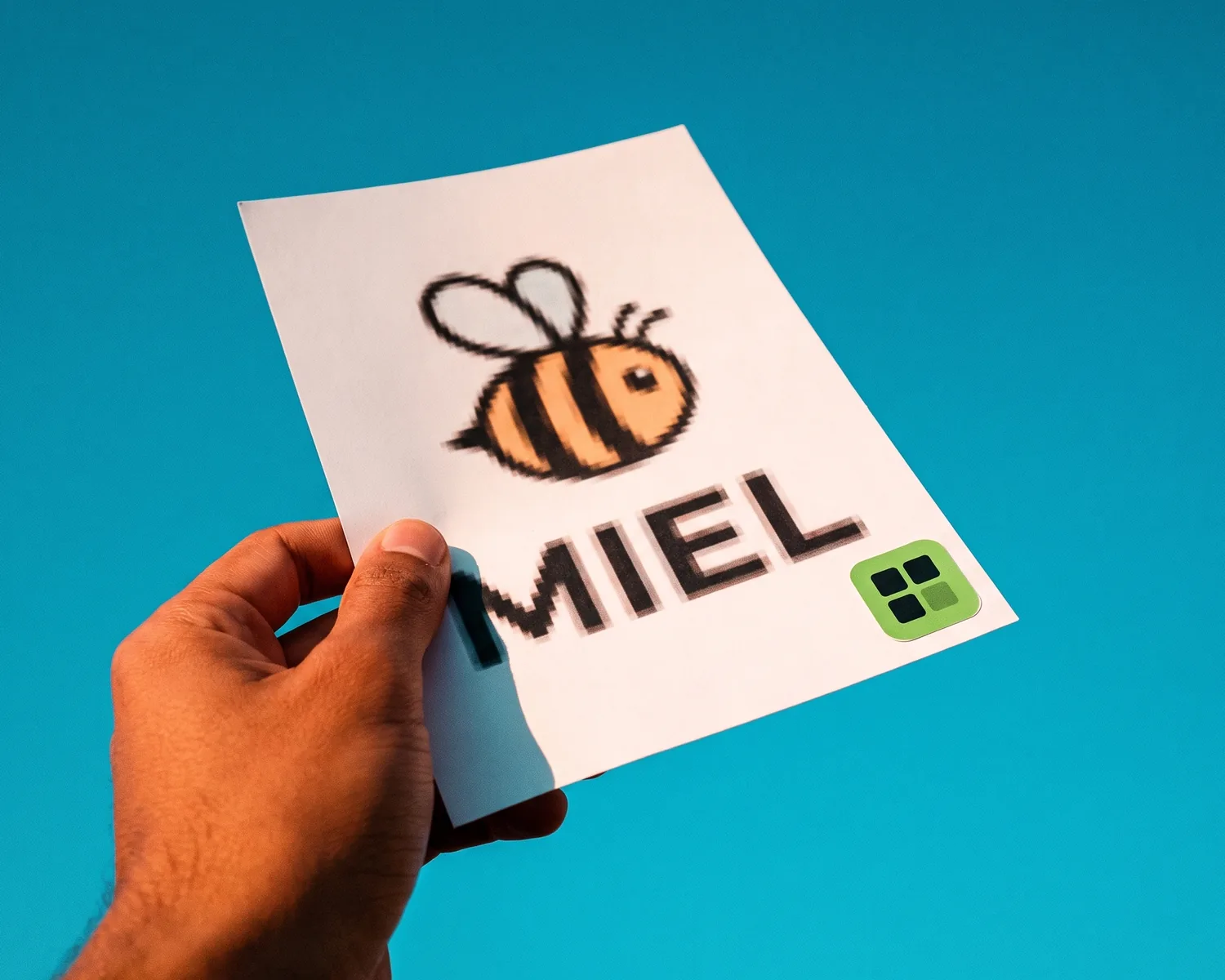
A logo that comes out blurry when printed almost always has a file problem: a pixel image too small for the printed size, which the press had to stretch. What lasts is a vector version of the logo: it describes outlines and fills, not little colored squares, so it stays sharp on paper at any size.
Why is my logo blurry when printed?
Your logo is blurry when printed because the file holds fewer pixels than the printed area needs. To fill the paper, the print software invents in-between pixels by blending their neighbors: crisp edges turn into soft gradients, and your eye reads that as blur.
The same three causes come up again and again:
- a file that’s simply too small, often a logo saved from a website, an email signature or a social media profile;
- a JPG saved over and over, where every round of compression added smudges around the letters;
- a logo stretched inside Word, Canva or PowerPoint before export, which kept the small original image behind a big on-screen size.
Why does a logo look sharp on screen but blurry on paper?
A logo looks sharp on screen but blurry on paper because paper needs far more pixels per inch than a screen does. A logo 300 pixels wide looks perfect on a web page. Printed at the usual standard of 300 dots per inch, though, it only covers one inch without losing quality: beyond that, each pixel gets spread over several dots of ink.
How to work out the largest size a file can print at, and what “300 DPI” really means, is covered in what 300 DPI means.
To check your own file, drop it into the print size calculator: it shows how large the image prints sharp, and whether that covers the format you need. The file is read on your device, not uploaded.
Is the blur coming from the file or from the printer?
A blurry printed logo comes from the file in the vast majority of cases, and a two-minute test settles it. Open the exact file you sent and view it at 100%, then at 400%.
- The edges already look soft or smudged on screen: the file is the culprit, and printing just made it obvious.
- The edges stay perfectly smooth, even zoomed in: the file is a vector or large enough, so the issue lies elsewhere (paper stock, press settings, a file swapped along the way). Bring this test to your printer.
The same check works for a PDF: a PDF can perfectly well contain a plain pixel image. If the logo breaks up when you zoom into the PDF, the format didn’t protect it.
Blurry or pixelated: is it the same problem?
Blurry and pixelated are two faces of the same problem: a file too small for the size it’s used at. Depending on the software doing the enlarging, missing pixels are either blended (the logo goes fuzzy) or copied as is (the logo shows stair-step edges). The fix is the same either way; for a logo with blocky edges, also see how to unpixelate an image.
What should you do if the print proof shows a blurry logo?
If the proof (the preview your printer sends for approval before running the job) shows a blurry logo, don’t approve it: once signed off, the print run will look exactly the same. Ask for a little more time, replace the file with a vector version, then request a new proof.
Some printers flag “low resolution” on their own. Others print whatever they receive. To be safe, run the zoom test above before you send the file, not after the boxes arrive.
How do you fix a blurry logo for printing?
Fixing a blurry logo for printing means vectorizing it: its pixels are replaced by shapes, which have no maximum size. The logo then prints just as sharp on a business card as on a trade show banner.
The other options have limits:
- getting the original back from the agency or designer who made it is still the best route when it’s possible;
- upscaling the file, even with AI, gives you a bigger image that is still made of pixels, so you just hit a new limit a bit further out. How that differs from a true high-res file is explained in what a high-resolution logo really is;
- a designer is worth it if the logo is too damaged to read, or if you want to update it.
What each tool can do for an existing logo is compared in how to improve logo quality, and the full walkthrough to vectorize an image covers each step.
A print-shop-ready SVG from your blurry file
On Depixelise, your blurry logo becomes an SVG, the shape-based format that most printers, embroiderers and engravers will open without asking for anything else. The file you already have will do as a starting point, in PNG, JPG, WebP or SVG format, as long as it weighs under 10 MB. The converted logo shows up full size, ready to zoom into. Four files are sent to you by email: the SVG to hand over to the print shop, a background-free PNG 2000 pixels wide for documents and websites, a single-color version and a light version for dark backgrounds. Nothing to pay, no account to create, no watermark on the files. A tiny starting logo gets enlarged and then redrawn, so read every letter before you pass the SVG on.
If your print shop wants a different format, SVG vs EPS vs PDF tells you which one to send. And to check everything before an order (colors, background, format), follow the complete guide to a print-ready logo.
FAQ
Can a vectorized logo still print blurry?
A true vector logo never prints blurry, whatever the size. If it does, the file usually holds a pixel image tucked inside an SVG or PDF: zoom in to 800%, and if squares show up, the conversion never happened.
Why does my logo look blurry on a DTF-printed t-shirt?
On a DTF t-shirt (printed on film, then heat-pressed onto the fabric), a blurry logo almost always comes from an undersized file, made more visible by the size of the print, usually much larger than a logo on a letterhead. Send an SVG, or a very large transparent PNG exported from the vector.
Can I use the logo from my email signature on a flyer?
No, an email signature logo is rarely more than a few hundred pixels wide: printed on a flyer, it will turn blurry. It can, however, be a starting point for vectorizing, as long as it’s still legible.
Do I need to redo the whole document if only the logo is blurry?
No, just swap the logo for its vector version inside the document, then export the PDF again. The rest of the layout stays as it is.
Will a blurry logo show on a banner seen from a distance?
Yes, a blurry logo shows on a banner even from a distance, because the print size is huge: every flaw is enlarged in the same proportion. For large formats, a vector file is the safest way to avoid a bad surprise.