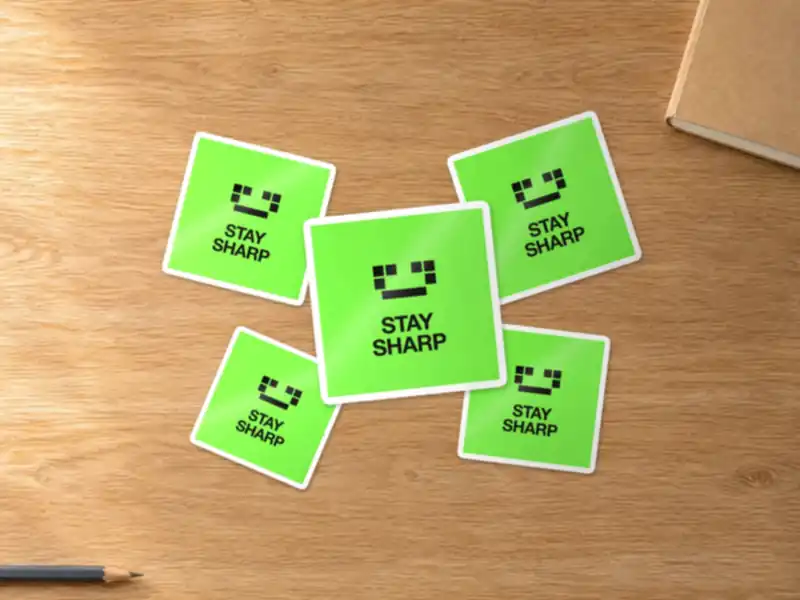
Sticker mockup: a set on a table, with a white border
Upload your logo and it becomes a vinyl sticker, die-cut, round, square or rectangle, with or without a white border, spread on a table or stuck on a laptop, true to size. Resolution checked. Free, no sign-up.
Your design
This file does not open as an image. Try a PNG, JPG or SVG.
A PDF? Export the page as a PNG or JPG at 300 DPI: PDFs aren’t read here yet.
Blurry or pixelated logo? Vectorize it for free.
Shape
Size (longest side)
Pre-print check
Sample design: upload your file to check its resolution.
One last check: tick the box just below to start the conversion.
- Bleed
- Trim
- Safe area
See it as a real photo, with ChatGPT
Your sticker becomes a staged photo, spread on a table or stuck on an object, in your own ChatGPT. The message is already written: just paste the image.
 Open in ChatGPT ↗
When you click, the mockup image is copied and ChatGPT opens with the message already written: paste the image (⌘V, Ctrl+V or long press), then send.
Photo mood (optional)
By email, you also get your HD mockup with the ChatGPT link for this style.
Get my mockup in HD
Free, as an attachment, straight to your inbox.
By email, you also get your vector logo (SVG, one-color, negative), along with the mockup.
A sharp logo for your file
Blurry or low-res logo? Depixelise vectorizes it for free: SVG, HD PNG, one-color and negative versions, by email.
Vectorize my logo for free →Sticker sizes
Stickers are usually ordered round or square, 2 to 4 in wide (5 to 10 cm in Europe). The preview places them to scale on the lid of a 13-inch laptop (about 12 × 8.3 in), so you see right away whether text is still readable at 2 in.
| Size | File at 220 DPI (with bleed) |
|---|---|
| Round Ø 5 cm | 485 × 485 |
| Round Ø 7.5 cm | 702 × 702 |
| Round Ø 10 cm | 918 × 918 |
| Square 5 × 5 cm | 485 × 485 |
| Square 7.5 × 7.5 cm | 702 × 702 |
| Square 10 × 10 cm | 918 × 918 |
| Round Ø 2 in | 495 × 495 |
| Round Ø 3 in | 715 × 715 |
| Round Ø 4 in | 935 × 935 |
| Square 2 × 2 in | 495 × 495 |
| Square 3 × 3 in | 715 × 715 |
| Square 4 × 4 in | 935 × 935 |
Bleed and die cut
A die-cut sticker needs bleed too, 1/8 in all around: the blade follows a cut line, and a background that stops exactly on that line can leave a thin edge. Keep text at least 1/8 in inside the cut. With a white border, the cut falls in the white: the design no longer needs bleed, and the border counts in the sticker size.
The right resolution
A sticker is seen up close, at about 40 cm (16 in): past about 220 DPI, the eye can’t see pixels. A 3 in sticker at 300 DPI with bleed is 975 × 975 px. A vector logo works best for die cutting, since the cut line is drawn as a vector.
Material and finish
Vinyl stands up to water and rubbing; paper is fine indoors. Gloss makes colors pop, matte avoids glare. On a dark laptop, a sticker with a white background stands out more than a clear one.
Frequently asked questions
Is the sticker mockup free?
Yes. The preview, the resolution check and the HD mockup by email are free, with no sign-up.
Is the sticker shown to scale?
Yes: the lid is about 12 × 8.3 in, and the sticker sits on it at the size you pick. A 2 in sticker takes about a sixth of the lid’s width.
What if I only have my logo?
Pick “Just a logo” and the sticker background color. The logo sits in the center, inside the safe area.
Is my file uploaded anywhere?
No. It is read on your device and only leaves your browser if you ask for the HD mockup by email.