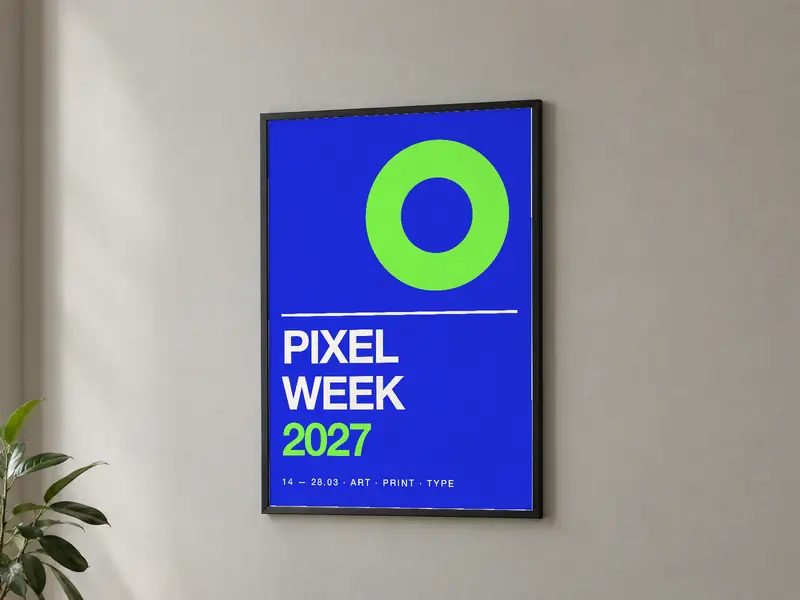
Poster mockup: see your poster framed on a wall
Upload your poster and it hangs in a frame, in the light of a real room. Pick the size, check the bleed and the resolution. Free, no sign-up.
Your design
This file does not open as an image. Try a PNG, JPG or SVG.
A PDF? Export the page as a PNG or JPG at 300 DPI: PDFs aren’t read here yet.
Blurry or pixelated logo? Vectorize it for free.
Size
Pre-print check
Sample design: upload your file to check its resolution.
One last check: tick the box just below to start the conversion.
- Bleed
- Trim
- Safe area
Get my mockup in HD
Free, as an attachment, straight to your inbox.
By email, you also get your vector logo (SVG, one-color, negative), along with the mockup.
A sharp logo for your file
Blurry or low-res logo? Depixelise vectorizes it for free: SVG, HD PNG, one-color and negative versions, by email.
Vectorize my logo for free →Poster sizes
In the US, the common poster sizes are 18 × 24 in and 24 × 36 in, plus Tabloid (11 × 17 in) for smaller prints. Elsewhere, posters follow ISO 216: A3 (29.7 × 42 cm), A2 (42 × 59.4 cm) and A1 (59.4 × 84.1 cm). Both families are in the size picker.
| Size | File at 150 DPI (with bleed) |
|---|---|
| A4 · 21 × 29.7 cm | 1,276 × 1,789 |
| A3 · 29.7 × 42 cm | 1,789 × 2,516 |
| A2 · 42 × 59.4 cm | 2,516 × 3,543 |
| A1 · 59.4 × 84.1 cm | 3,543 × 5,002 |
| 50 × 70 cm | 2,988 × 4,169 |
| Letter · 8.5 × 11 in | 1,313 × 1,688 |
| Tabloid · 11 × 17 in | 1,688 × 2,588 |
| 18 × 24 in | 2,738 × 3,638 |
| 24 × 36 in | 3,638 × 5,438 |
Bleed and safe area
A poster printed to the edge needs 1/8 in of bleed on each side (3 mm in Europe): an 18 × 24 in poster becomes an 18.25 × 24.25 in file. Keep text and logos at least 3/8 in from the edge, since trimming is never perfect. Tick “Show bleed and safe area” to see both zones on your design.
The right resolution
A poster is seen from a few steps away. At 60 cm (about 2 ft), the eye can’t resolve detail finer than one arcminute, which is about 150 DPI: beyond that, pixels are invisible. Between 100 and 150 DPI it still looks sharp from further back. An 18 × 24 in poster at 150 DPI takes 2,738 × 3,638 px, bleed included.
Paper and finish
Gloss coated paper makes colors pop; matte paper avoids glare, which helps behind the glass of a frame. Paper weight tells you how thick the sheet is: the heavier it is, the flatter the poster hangs.
Frequently asked questions
Is the poster mockup free?
Yes. The preview, the resolution check and the HD mockup sent by email are free, with no sign-up.
What resolution does a 24 × 36 poster need?
150 DPI is enough for a poster seen from about 2 ft: 3,638 × 5,438 px with bleed. For a poster read up close, aim for 300 DPI: 7,275 × 10,875 px.
What if my file has the wrong proportions?
The tool tells you and lets you choose: fill the size (the design gets cropped) or fit it (borders appear). The safest fix is to start from a document at the right size.
Is my file uploaded anywhere?
No. It is read on your device and only leaves your browser if you ask for the HD mockup by email.